
How to Be Successful in a Video Interview

If you need to prepare for a video job interview, focus on the basics that affect how you come across on screen: practice sitting still in front of the camera, test your equipment, look at the camera to simulate eye contact, set your computer at eye level, choose a pleasant background, find a quiet space, close unnecessary programs, protect your internet connection, plug in your computer, check your microphone, update your software, dress professionally, and use good lighting.
We’re trying to be helpful to candidates here, because video interviews are now a standard part of hiring and small mistakes in setup or presentation can cost job seekers the opportunity. Some of this may seem incredibly obvious, but we see the same problems every single day, and this guide walks through the practical details that matter most: camera presence, screen position, background and noise control, computer and internet prep, audio and software checks, lighting, professional appearance, and a few final do-not-forget tips.
Sit still in front of the camera
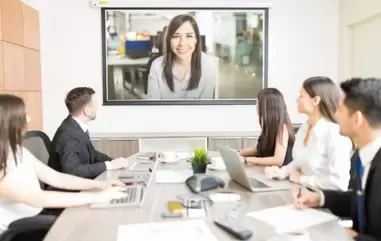 Video interviews are now common
Of course, cable news channels and other types of media outlets often have guests on their programs that join by video. Well, it is very easy to tell when that person has little or no experience sitting in front of a camera. Professional news anchors make it look easy to stare straight into a camera and talk, but it's anything but simple.
It takes tremendous practice and patience to sit still and not twitch or touch your face. When people on TV do it, of course it's very awkward and distracting. Well, the same is true in job interviews.
Make sure your equipment works by testing it thoroughly
Most job seekers show up to video interviews ill-prepared. Even though I send them a "heads up" to test their equipment first, so many of them don't heed the warning and "wing it."
I'm sure they don't intentionally tank the interview; it's just that they were overconfident and thought they were better with online interviews than they actually were. Log in 15-20 minutes early to test your audio and video before the interview starts. Again, doing a trial video meeting with a friend is important to practice good eye contact and rehearse common interview questions using the STAR method. If an acquaintance isn't available to help you prepare for a video, then use a family member. Keep notes and your resume nearby, but don't read your answers from a script.
Look at the camera, not at the screen
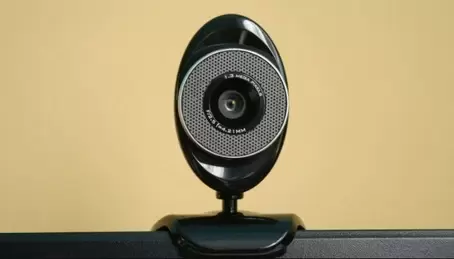 Try not to look at the monitor, but at the camera
Of course, it's natural to want to look at someone's face when you speak to them; but for a video interview, it's not the way to go. When you look down at your computer's monitor and not right into the camera, they are going to be looking at your forehead -- and that's awkward. Again, you need to maintain eye contact.
Here's a trick: if you know who you will be interviewing with (you usually will), then go on LinkedIn and get a copy of their photo and print it. You can tape the photo right next to the camera lens and look at it while you're doing the interview. It makes all the difference in the world. If you practice your interviewing skills for the video session, then it will be the closest thing to an in-person interview that you can get.
Raise your computer up by putting it on books
This one you won't find in an article for job search tips. I can't tell you how many times I've looked up interviewees' noses when doing video interviews. When interviewees put their laptop on the coffee table and angle up their screen, the interviewer on the other end will see up their nose and be looking at the candidate's ceiling. It's very disconcerting.
Take a minute and stack up some books so the computer is at your eye level. Your interviewer will really appreciate it, and you will look very professional. Remember that you are trying to create the appearance of an in-person interview, and you would, of course, maintain eye contact if you were in the room with them face to face.
Check the background
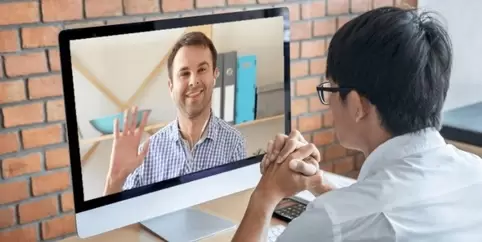 The background should be pleasant to look at
I once had an interview with someone, and in the background, there was a pair of dirty underwear on the floor that they forgot to pick up. I'm not kidding. I was absolutely mortified. It was very uncomfortable for me, so I mentioned to him that there was "something" on the ground behind him.
Had this candidate done a trial run on his desktop computer with a friend, then this would never have happened. The candidate had a good internet connection and had read the job description, but he just didn't do a technology test, so it didn't go well, and his chances for a new job disappeared.
Make sure your space is quiet
Professional audio-recording experts use "directional microphones" that are intended to block out background noise. In short, they only record what is wanted. The standard headset mic (or the one built into the computer) doesn't do that as well as professional microphones do, so they pick up a lot of background sounds. Silence notifications, set up in a quiet space, and let other people at home know not to interrupt.
If you are going to have a video interview on Zoom, Teams, Cisco Webex, or another video platform, make sure it is absolutely quiet. If background noise starts during the interview, mute your microphone whenever you are not speaking. If someone is mowing their lawn next door, then the interviewer might hear it, and it will be very distracting.
P.S. Please avoid coffee shops and other communal spaces because they are way too loud.
Close everything else on your computer
 High bandwidth is important
Technology is both a blessing and a curse. It makes life so convenient for us, but sometimes it's problematic. Even if you have the best computers, they can have their bad days.
When doing an online interview, make sure that everything else that you don't need on your computer is switched off -- and that includes software and apps running in the background.
Remember, even if you have a strong internet connection, it doesn't mean that your computer will perform well if you have too many programs running in the background. Since video interviews take a lot more bandwidth, it's important to ensure that you have a stable internet connection.
Tell your roommates to stay off the internet
Just because you turned off all of your laptop's background programs while doing your online job interview doesn't mean that you're safe. If you live with roommates or family members, then you should ask them to refrain from using the internet while you're in the interview.
You will usually see poor performance on your computer screen because it will be pixelated, and you may even get an alert from the video software saying that you have low bandwidth.
Plug in your computer; don't use the battery
You may think you are safe if your battery is fully charged, but you could run out of power during your job interview. Zoom and other similar platforms like Microsoft Teams take a lot of computing power, especially when you are streaming audio and video. Additionally, if your computer is a few years old, that greatly impacts the battery's performance because it will lose charge much faster.
Check your microphone
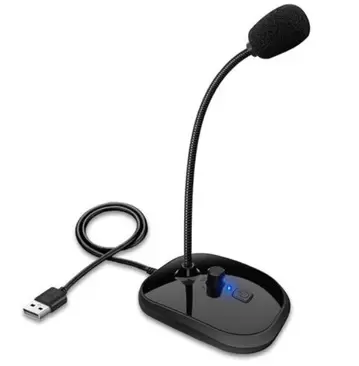 Invest in a high-quality mic
Just because your microphone "works" doesn't mean it's good. Low-quality microphones can sound crackly and muffled, almost like they are in silent mode.
It's a good idea to invest in a decent microphone. Even the best ones won't cost that much. Do a mock interview with someone you trust and test your microphone.
See if the one built into the computer or your auxiliary mic sounds better. You want the recruiter who is interviewing you to hear you loud and clear.
Double-check your icon photo and professional username
I once did a video job interview with a candidate who had a raunchy photo of himself as a profile photo. I was utterly shocked. Just as you should be aware of your online presence with social media profiles, the photo you use on your Zoom or Teams account should also be professional, especially during a job search.
Update your software
For maximum performance, your Zoom software and computer's operating system should be updated before you start your online interview. Not having the most up-to-date versions can cause the application to be slow and faulty; again, you will get the dreaded error messages during your interview. Not to sound like a broken record, but a run-through with anyone you know will help eliminate any problems and bring your interview up one notch.
Be in a well-lit place
Every single aspect of your presentation should be considered, and lighting is no exception. If you have everything else done correctly but the recruiter interviewing you can't see very well, then your good first impression will be a bad one. We've all seen those videos with the background completely blown out with stark lighting because the sun is washing out everything in the frame. So, remember that the light source is important. It can't be too dim or too bright.
Your computer should not be facing a window, or the frame is likely to be washed out. It's best to control the lighting as much as possible, so experiment with small lamps that have dimming features to get it just right.
Never use the video on your phone to interview
It is incredibly frustrating to have a job interview with a candidate when they are holding their phone in their hand. Of course, it will be shaky, and it makes the person interviewing you very dizzy. If you are running behind because you got caught in traffic, then reschedule the interview instead of doing it on your phone. The interviewer will appreciate it.
Final thoughts for video interviews
A video interview can be frazzling. Having good body language isn't enough. Here are some last-minute tips to help you shine:
|
|
While it does seem like a lot of work to be successful in a video interview, it's worth the extra time investment. If you don't take the time to do it right, then someone else will steal your dream job.
